Automate Your Admin

For most tutoring center owners in Southeast Asia, the end of the month doesn't mean celebration—it means 11 PM WhatsApp messages and hours spent fixing manual payroll errors in Excel. If you are still manually logging teacher hours, you aren't just losing time; you're hitting a wall that prevents your center from scaling.
The Management Trap: Why Manual Payroll Fails
As your center grows, your payroll becomes complex. You might have one senior teacher who has three different hourly rates depending on the subject, the grade level, or even the branch they are teaching at.
Trying to track this via LINE, Zalo, or paper registers leads to "The Payment Chase" and costly mistakes:
The Accuracy Gap: Without digital attendance, you are paying based on memory or unverified messages.
The Rate Jungle: Managing different rates for "Senior Tutors" vs. "Junior Tutors" across multiple payroll groups is a recipe for manual error.
The Growth Drain: Every hour spent auditing a spreadsheet is an hour you aren't spending on marketing or enrolling new students.
3 Steps to Professionalizing Your Teacher Payroll
To move from an admin clerk to a CEO, you need a system that acts as your business engine. here is how to restructure:
1. Link Attendance to Pay
Never pay for a class that wasn't logged. Digital attendance ensures that every dollar spent on payroll is backed by a verified class session. When the student is marked "Present," the payroll record should update automatically.
2. Define Granular Hourly Rates
Set specific rates for individual teachers. If "Teacher A" earns $25 for Math but $30 for a specialized Science prep class, the system should calculate this without you needing to remember.
3. Group Your Payroll
Organize your staff into payroll groups (e.g., by seniority, subject, or branch). This allows you to process payments for dozens of teachers in seconds, rather than days.
The Tutearn Advantage: Built for SEA Growth
Tutearn was designed as the Learning Center OS to handle the exact complexities Southeast Asian owners face every day. Our payroll engine is built to eliminate the "Management Trap":
Flexible Hourly Rates: Assign multiple rates to the same teacher for different subjects or class types.
Verified Attendance: Our digital record-keeping ensures teachers are only paid for the hours they actually taught.
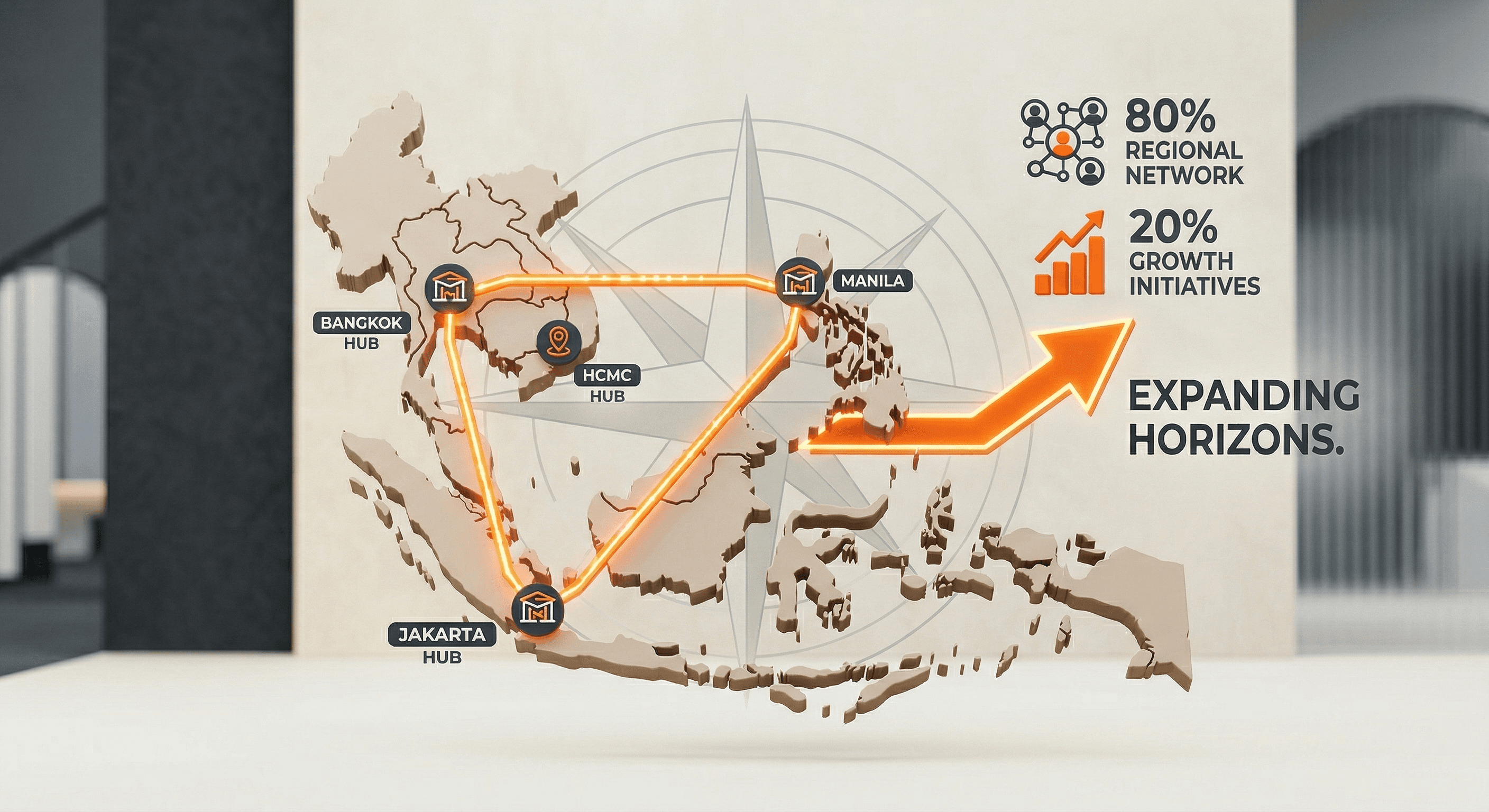
Multi-Branch Payroll: Manage teachers across different cities or regions from one single, high-contrast dashboard.
Zero-Friction Migration: Hand us your current Excel or Google Sheets files. We will migrate your data for free so you can start growing today.
Conclusion: Reclaim Your Vision
You didn’t start a tutoring center to be an accountant. You started it to provide a premium education experience. By automating the noise of payroll and attendance, you gain the Operational Freedom to focus on your Horizon.

FAQ
Q: Can I set different rates for the same teacher?
A: Yes. Tutearn allows you to log teacher hours with individual rates per subject, level, or branch, ensuring complete accuracy for complex payrolls.
Q: How do I know if my teachers actually taught the class?
A: Our system uses digital attendance verification. Payroll is generated based on real-time class logs, not manual claims.
Q: Is it hard to move my data from Excel?
A: Not at all. We offer a Free Migration Promise. Just hand us your spreadsheets, and we’ll set up your growth-ready system for you.


" height="26.775854982010287px" id="cApMGcL1n" transform="translate(8.075 0)" width="155.3056933182408px"/><path d="M 2.104 7.648 C 3.183 6.921 4.353 6.381 5.609 6.039 C 7.955 5.398 10.298 5.468 12.623 6.156 C 14.353 6.668 15.883 7.558 17.235 8.755 C 17.581 9.063 17.63 9.402 17.35 9.765 C 16.893 10.357 16.391 10.911 15.779 11.347 C 15.381 11.63 15.118 11.589 14.737 11.257 C 14.263 10.841 13.789 10.419 13.273 10.056 C 11.993 9.153 10.613 8.45 9.076 8.097 C 7.36 7.703 5.637 7.627 3.9 7.945 C 2.651 8.173 1.464 8.575 0.367 9.222 C 0.28 9.274 0.145 9.371 0 9.454 C 0.142 8.928 0.322 8.475 0.474 8.073 C 1.505 5.343 3.242 3.198 5.751 1.703 C 7.017 0.949 8.377 0.457 9.827 0.198 C 11.388 -0.083 12.938 -0.055 14.495 0.218 C 14.692 0.253 14.886 0.298 15.076 0.35 C 15.571 0.485 15.775 0.827 15.588 1.315 C 15.384 1.841 15.163 2.364 14.876 2.845 C 14.474 3.519 13.948 4.097 13.339 4.596 C 13.052 4.834 12.727 4.924 12.367 4.852 C 10.671 4.499 8.969 4.499 7.287 4.852 C 6.138 5.094 5.024 5.475 3.983 6.052 C 2.896 6.654 1.924 7.405 1.045 8.281 C 0.92 8.405 0.789 8.53 0.664 8.651" fill="rgb(242, 96, 21)" height="11.53514688908613px" id="vkqCGwQj4" transform="translate(15.185 3.587)" width="17.53137732008387px"/><path d="M 2.384 1.426 C 3.416 2.208 4.312 3.154 5.038 4.226 C 6.401 6.239 7.09 8.478 7.19 10.9 C 7.263 12.703 6.917 14.437 6.218 16.105 C 6.038 16.534 5.73 16.686 5.298 16.541 C 4.588 16.302 3.903 16.004 3.294 15.565 C 2.896 15.278 2.851 15.018 3.045 14.551 C 3.284 13.966 3.533 13.385 3.709 12.779 C 4.149 11.274 4.37 9.741 4.211 8.174 C 4.031 6.423 3.547 4.765 2.685 3.226 C 2.066 2.118 1.305 1.122 0.339 0.291 C 0.263 0.226 0.128 0.129 0 0.018 C 0.543 -0.017 1.031 0.008 1.46 0.018 C 4.377 0.115 6.969 1.063 9.194 2.956 C 10.315 3.911 11.222 5.039 11.934 6.329 C 12.703 7.717 13.177 9.195 13.419 10.755 C 13.45 10.952 13.467 11.15 13.481 11.35 C 13.512 11.862 13.253 12.167 12.734 12.146 C 12.173 12.125 11.602 12.08 11.055 11.966 C 10.287 11.804 9.571 11.492 8.903 11.077 C 8.585 10.88 8.395 10.603 8.35 10.236 C 8.135 8.52 7.588 6.904 6.706 5.43 C 6.104 4.423 5.384 3.489 4.502 2.689 C 3.581 1.855 2.557 1.177 1.443 0.627 C 1.284 0.547 1.125 0.468 0.969 0.385" fill="rgb(242, 96, 21)" height="16.594151459163477px" id="oS98wg0QL" transform="translate(19.663 12.784)" width="13.483612746338414px"/><path d="M 13.624 2.696 C 13.173 3.91 12.528 5.042 11.713 6.049 C 10.184 7.938 8.239 9.246 5.949 10.045 C 4.243 10.64 2.485 10.81 0.686 10.623 C 0.222 10.575 -0.013 10.325 0.001 9.869 C 0.025 9.121 0.108 8.381 0.354 7.668 C 0.513 7.204 0.748 7.087 1.253 7.135 C 1.879 7.194 2.513 7.263 3.139 7.256 C 4.707 7.242 6.239 7.007 7.693 6.398 C 9.316 5.716 10.762 4.775 11.987 3.502 C 12.866 2.585 13.599 1.571 14.111 0.405 C 14.153 0.315 14.205 0.156 14.274 0 C 14.464 0.509 14.586 0.986 14.696 1.398 C 15.451 4.218 15.295 6.972 14.129 9.651 C 13.541 11 12.724 12.194 11.696 13.253 C 10.592 14.391 9.316 15.274 7.893 15.959 C 7.713 16.045 7.53 16.121 7.343 16.19 C 6.862 16.37 6.495 16.211 6.364 15.706 C 6.222 15.163 6.098 14.606 6.049 14.045 C 5.98 13.263 6.073 12.488 6.274 11.727 C 6.371 11.367 6.578 11.104 6.918 10.952 C 8.499 10.249 9.883 9.256 11.042 7.986 C 11.831 7.118 12.516 6.159 13.025 5.083 C 13.558 3.959 13.907 2.782 14.111 1.557 C 14.139 1.381 14.174 1.208 14.205 1.031" fill="rgb(242, 96, 21)" height="16.261952576631565px" id="FYdJ1SJIt" transform="translate(7.004 17.203)" width="15.158266796182085px"/><path d="M 14.998 11.021 C 13.697 10.976 12.434 10.727 11.216 10.267 C 8.939 9.409 7.088 7.976 5.607 6.056 C 4.507 4.627 3.787 3.007 3.399 1.246 C 3.299 0.793 3.462 0.488 3.901 0.36 C 4.617 0.146 5.348 -0.007 6.102 0 C 6.59 0 6.777 0.191 6.891 0.685 C 7.033 1.301 7.168 1.921 7.372 2.516 C 7.88 3.997 8.586 5.377 9.621 6.568 C 10.777 7.893 12.13 8.969 13.721 9.73 C 14.867 10.277 16.06 10.651 17.33 10.772 C 17.431 10.782 17.597 10.782 17.766 10.8 C 17.344 11.142 16.929 11.405 16.573 11.64 C 14.137 13.246 11.472 13.966 8.562 13.703 C 7.095 13.571 5.704 13.17 4.375 12.53 C 2.95 11.841 1.707 10.907 0.607 9.772 C 0.469 9.63 0.337 9.478 0.213 9.322 C -0.109 8.921 -0.071 8.526 0.365 8.243 C 0.835 7.938 1.327 7.644 1.842 7.422 C 2.562 7.111 3.327 6.952 4.112 6.907 C 4.486 6.883 4.801 7 5.05 7.274 C 6.216 8.554 7.593 9.554 9.164 10.253 C 10.237 10.73 11.365 11.076 12.545 11.222 C 13.78 11.371 15.005 11.333 16.233 11.139 C 16.41 11.111 16.586 11.087 16.759 11.063" fill="rgb(242, 96, 21)" height="13.755802948807395px" id="o7Yeq9H5n" transform="translate(0 9.165)" width="17.76634845523122px"/></g></svg>)


